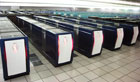
The outline of the Earth Simulator
The Earth Simulator (ES2) system will see an upgrade of the existing Earth Simulator (ES), which has significantly contributed to the development of a simulation culture in the area of earth sciences and related technical fields, and introduce new features to delver accurate and high-speed analysis and projections of global-scale environmental phenomena. The system will also be used to produce numerical simulations for advanced research fields that are beyond the scope of other computing systems.
Establishment space of the Earth Simulator (ES2)

Establishment image of the Earth Simulator (ES2)

Hardware specifications

Image of the cabinet of processor node

Replace schedule

Significant Feature
- The new Earth Simulator (ES2) is manufactured base on advanced 65nm technology (CMOS)
- The ES2's IXS High-Speed Interconnect Switch ensures increased bandwidht widh 2x64GB/s.
- Storong SMP-node with 8CPUs into one node for 0.8TFLOPS per node.
- Performance of 102.4GFLOPS per CPU on 64-bit precision.
- 1 cabinet (2 nodes included)
The ES2 provide the highest-performance CPU, which uses a new vector chip with 102.4 GFLOPS peak on 64-bit percision. With 8 CPUs in one node and a full configuration of 160 nodes, the peak vector performance achieves more than 131 TFLOPS.
The ES2 also has a huge memory capacity of 128GB per node and a maximum configuration of 20TB. The ES2 innovative configuration also includes an Assignable Data Buffer (ADB). This new, high-performance feature is increasing sustained performance and can be controlled by software.
Configuration of the Arithmetic Processor

Comparison of CPUs

Comparison of Switches

System Configuration of the Earth Simulator (ES2)

Node Allocation (NQSII)
The nodes allocated to a job are used exclusively for that job.
The job is scheduled by using elapse time insted of CPU time.
Main steps of Job Scheduling are summarized as follows:
- Node Allocation
- Stage-IN (copy fies from storage server to work disks)
- Job escalation (rescheduling for earlier start time if possible)
- Job execution
- Stage-OUT (copy files from work disks to storage server)